WALKTHROUGH
Your first honest verdict.
Ten minutes, no code, one free backtest.
Step 1
Pick the asset
Every Quantradin strategy starts with one choice: Options or Shares. The toggle up top defaults to Options — the leveraged, cost-heavy instrument Quantradin prices honestly, with a real ask-to-buy, bid-to-sell spread baked into every fill. Leave it on Options for this walkthrough; the rest of the cockpit — indicators, entry rules, exit, position sizing — adapts to whichever side you pick, and this one setting changes more downstream behavior than any other in the builder.

Step 2
Choose your universe
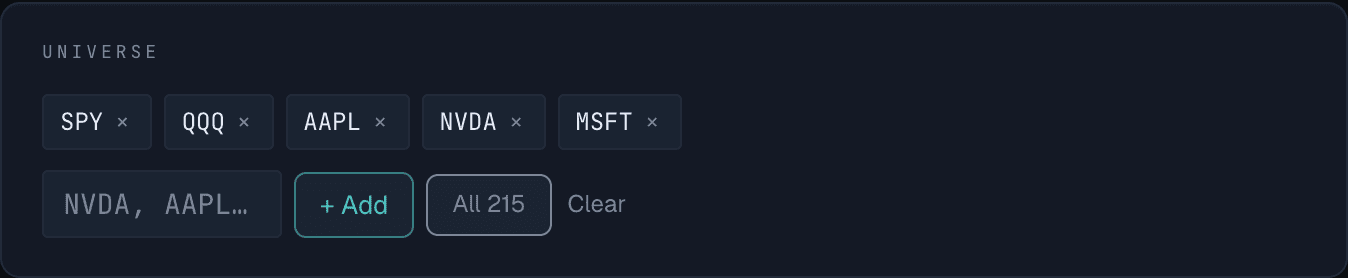
Next, tell Quantradin which tickers to scan. The sample universe ships with five: SPY, QQQ, AAPL, NVDA, MSFT, shown as removable chips. Type a symbol into the box and hit + Add (or press Enter) to bring in more, or click All 215 to scan Quantradin's entire supported universe in one shot. Every extra ticker is another chance for your entry rule to fire — a wider universe means more fills, and a slower but more honest read on whether the edge is real.
Step 3
Add an indicator
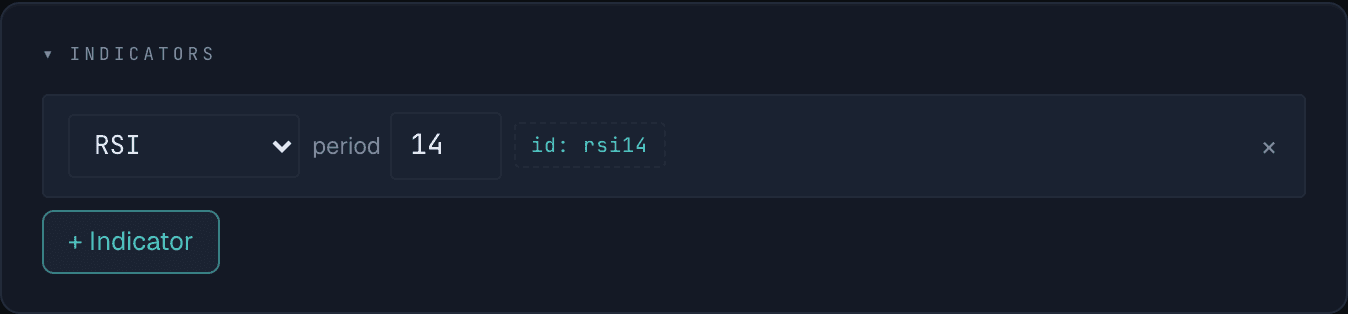
Indicators are the math your entry rules read from. The cockpit starts with one: RSI at a 14-day period, labeled rsi14 — that id is exactly what you'll reference in the next step. Change the period and the id updates with it, so a rule never points at a stale value. Click + Indicator to stack on more — an EMA, a second RSI at a different period — and each one shows up as a new operand everywhere a rule needs one.
Step 4
Write the entry rule
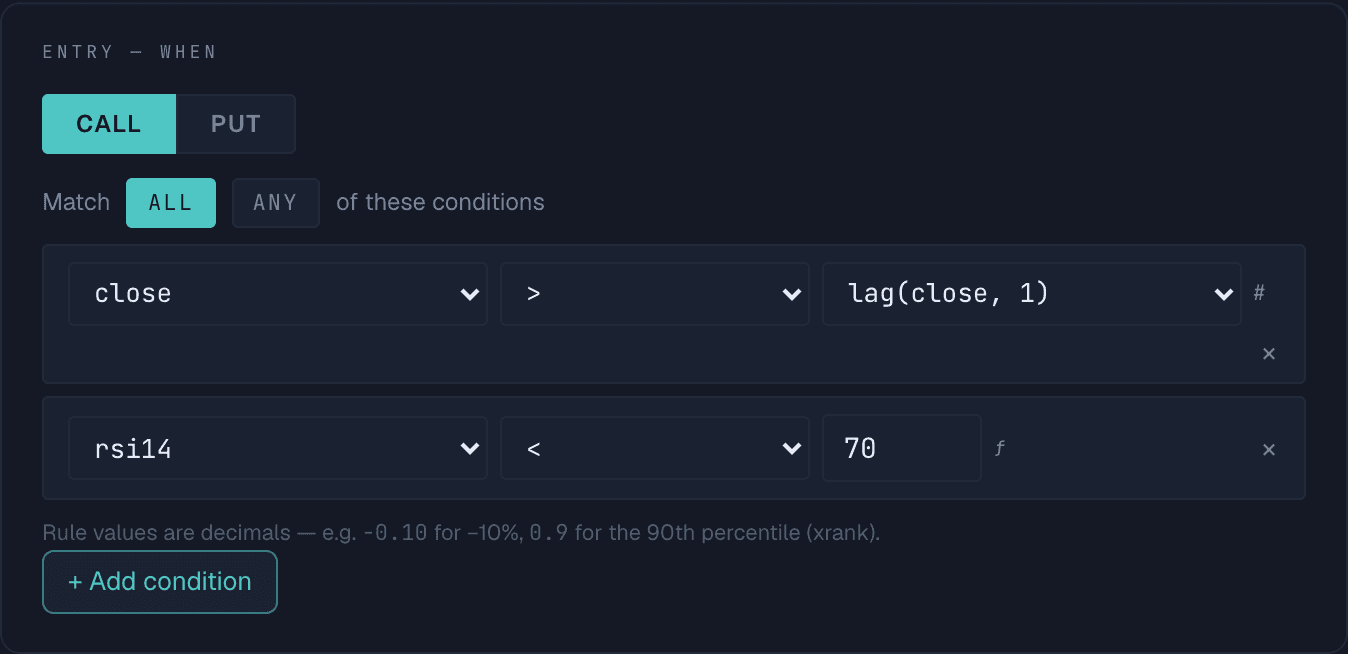
This is where the strategy actually decides when to buy. The sample enters calls, and requires ALL of two conditions to be true: today's close above lag(close, 1) — yesterday's close, so it's an up day — and rsi14 below 70, so you're not chasing a name that's already stretched overbought. Switch ALL to ANY to loosen the rule, or add a condition to tighten it. Every operand — price, an indicator id, a lag, a rank — comes from the same dropdown, no code required.
Step 5
Set the exit, then run it
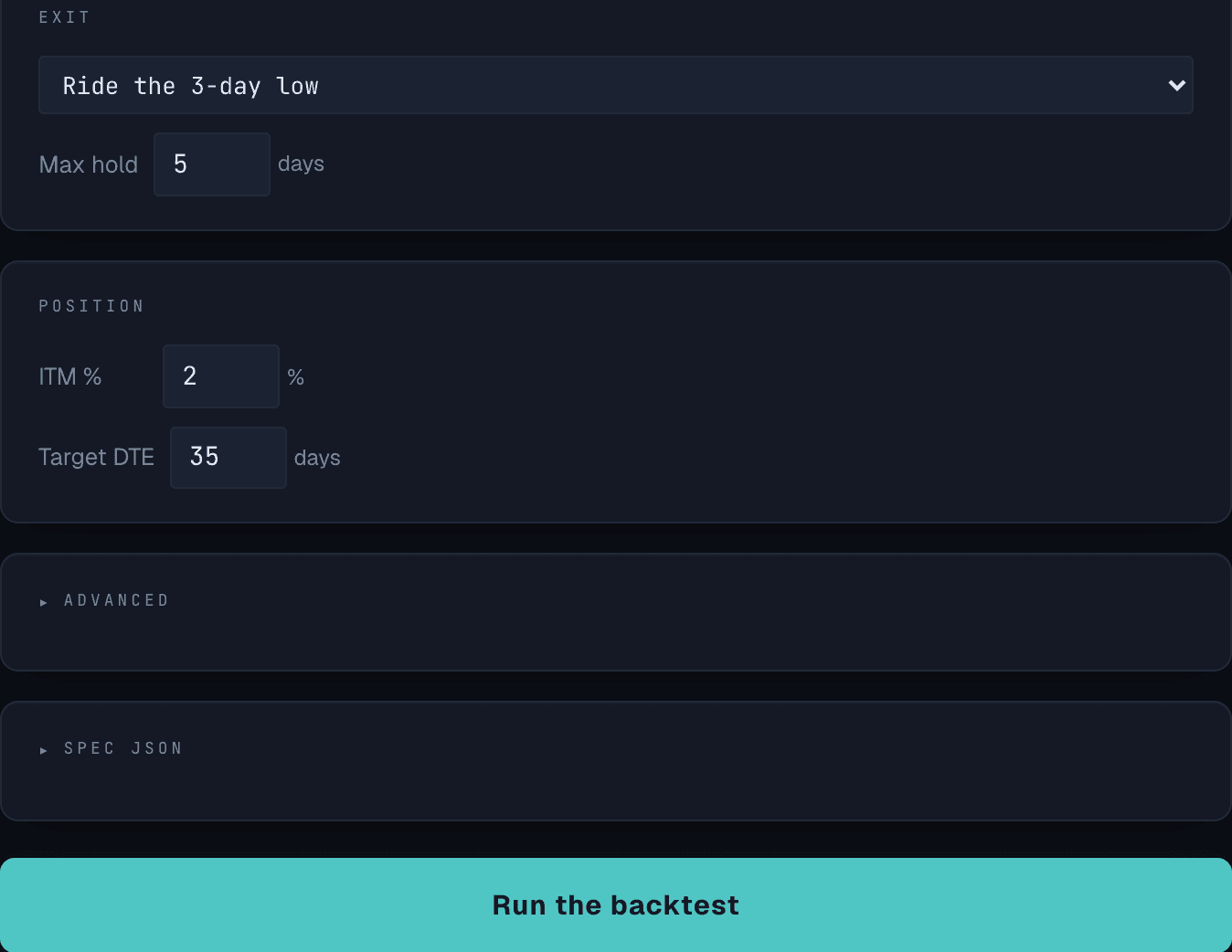
Exit is set to Ride the 3-day low, capped at a 5-day max hold either way. Just below it, Position sets the option itself — 2% in-the-money, 35 days to expiry — balancing intrinsic value against time decay. Two collapsed panels, Advanced and the raw Spec JSON, sit just above the button for when you want rank filters, a liquidity floor, or the literal JSON Quantradin will run. Once every dial is set, Run the backtest is the only button left to press.
Step 6
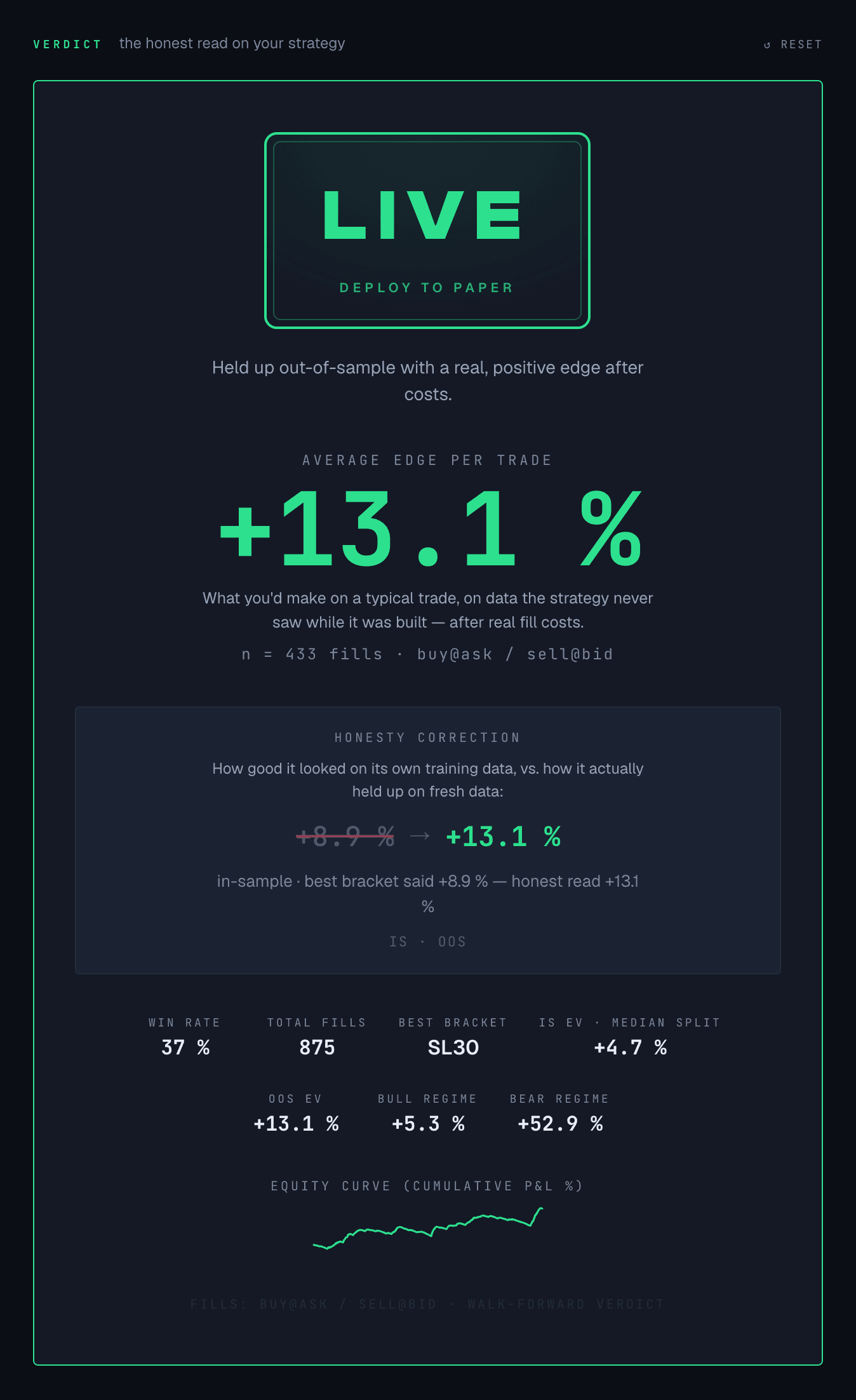
Read the verdict
A few seconds of scanning, and the stamp lands: LIVE. That means a real edge — deploy it to paper. SHADOW means promising but unproven — paper-trade it first. SHELF is our engine's read: the edge didn't survive testing on unseen data. It's advice, not a lock — you still choose. The headline +13.1% per trade is graded on data the bot never saw while you built it — 433 out-of-sample fills, every one bought at the ask and sold at the bid. Note the honesty correction: the training data said +8.9%; the honest read came out better, not worse.